You snap a photo of a bird you don't recognize, and now you want its name. The fastest reliable route today is to upload that photo directly into Merlin Bird ID (Cornell Lab's free app), which covers over 8,000 species and returns a result in seconds with an accuracy that hovers around 98%. If Merlin draws a blank or you want a second opinion, iNaturalist's community ID system and a basic reverse image search on Google or Bing cover nearly everything else. From there, you map the species to both its common name and scientific name, and if you're naming a pet bird, you now have a rich etymological rabbit hole waiting for you.
How to Find Bird Name by Image: Step-by-Step Guide
Maya Castellanos
16 Jun 2026
Wait: are you identifying a bird or just looking for a name?
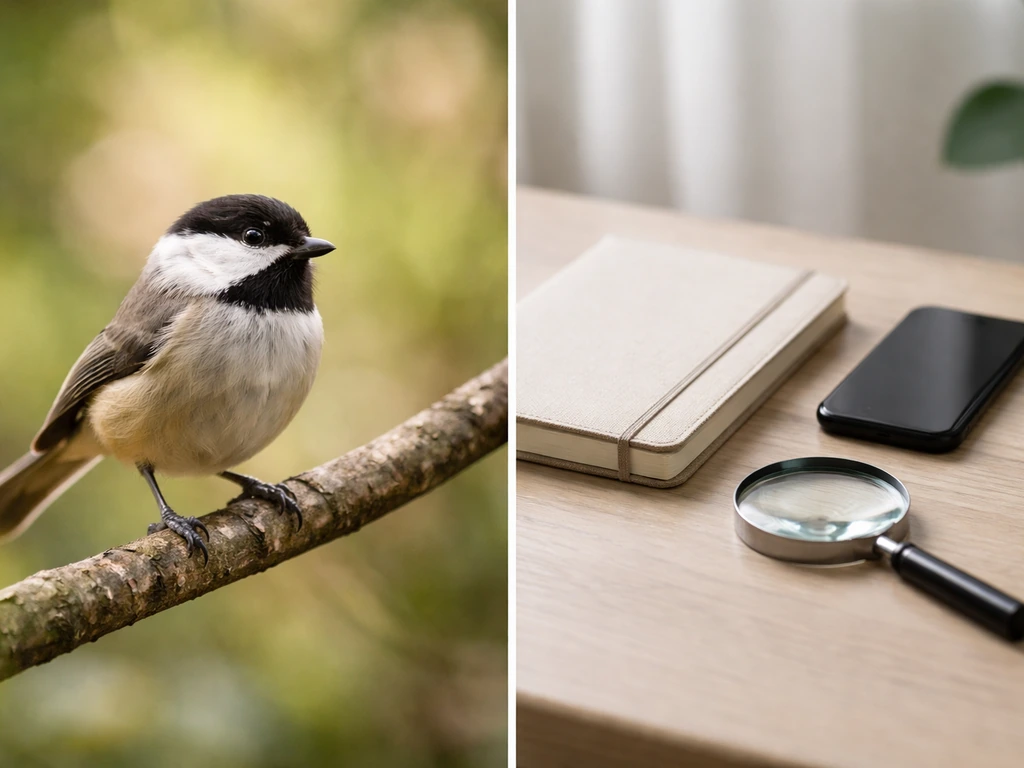
It's worth pausing for a second because 'find a bird name by image' can mean two different things. The first is species identification: you have a photo of a wild or unfamiliar bird and you want to know what it is. The second is something more like naming: you already know (or suspect) the species and you want to dig into what its common or scientific name means, how it's spelled in different regions, or what to call a pet bird that looks like it. This article covers both, in that order. If you're actually trying to figure out what to name a pet bird you've already identified, or you're curious about the Twitter bird icon or Minecraft naming mechanics, those are separate rabbit holes worth exploring on their own. If you are trying to name a bird in Minecraft, the steps are different from real-world bird naming, so it helps to follow a game-specific guide Minecraft naming mechanics. If you meant the Twitter bird specifically, you can also figure out how to put the Twitter bird in your name and get the exact wording right Twitter bird icon.
The honest caveat: image-based bird ID gives you a strong candidate, not always a guaranteed single answer. Some species look almost identical to each other, especially juveniles, regional variants, or birds photographed in bad light. The goal isn't to find the one true name from a photo alone. It's to narrow down to the most likely species and then confirm with a couple of quick extra checks.
The best ways to search by image right now
There are three main routes, and knowing when to use each one saves a lot of time.
Merlin Bird ID (the go-to for most situations)
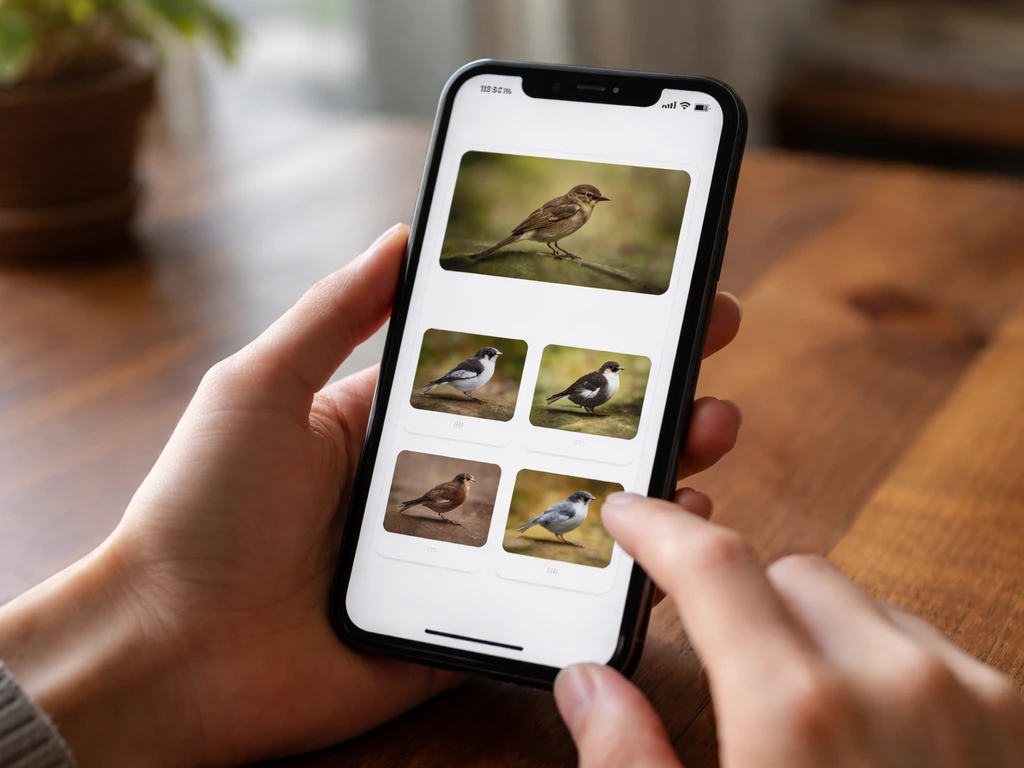
Merlin's Photo ID is the most purpose-built tool available and the one I'd start with every time. Download the free app (iOS or Android), tap 'Photo ID,' and upload your image. Behind the scenes, the Merlin Photo ID model scans the entire frame, draws a bounding box around each bird it detects, and assigns a species identification plus a confidence score to each box. That means if there are two birds in your shot, it tries to identify both independently. The model is trained on images contributed to eBird checklists and archived in the Macaulay Library, which gives it an enormous and geographically diverse training set. Merlin’s Photo ID feature page also notes that this is how its Photo ID model is trained, using those eBird and Macaulay Library image archives trained on images contributed to eBird checklists and archived in the Macaulay Library. The result usually comes back in under five seconds.
iNaturalist (great for community verification)
iNaturalist uses AI for an initial suggestion but its real strength is the human community that reviews observations. Upload your photo as an observation and the platform suggests an ID automatically. Other users (including expert birders) can then confirm or correct it. An observation reaches 'Research Grade' when more than two-thirds of identifiers agree on the species, which makes it a genuinely trustworthy label. The flip side: it can take hours or days to get community input, so it's better as a verification step than a quick-answer tool.
Google Lens and reverse image search (quick and broad)

Google Lens (built into the Google app and available at lens.google.com) handles bird photos surprisingly well for common species. Open the image in Google Photos and tap the Lens icon, or upload directly on the web. You'll get species name suggestions with image matches alongside. This is useful when you don't have Merlin installed yet or when you're dealing with a captive or exotic species that Merlin might be less confident about. Bing Visual Search works similarly and sometimes pulls different results, so it's worth a cross-check if your first result feels off.
| Tool | Best for | Speed | Scientific name included? | Free? |
|---|---|---|---|---|
| Merlin Bird ID | Wild bird species (8,000+ species) | Seconds | Yes | Yes |
| iNaturalist | Community verification, Research Grade confirmation | Minutes to days | Yes | Yes |
| Google Lens | Quick search, exotic/captive birds, broad coverage | Seconds | Often yes | Yes |
| Bing Visual Search | Cross-checking common species | Seconds | Sometimes | Yes |
For most people, the workflow is: Merlin first, iNaturalist if you want confirmation or the species is unusual, Google Lens as a quick sanity check. You rarely need all three, but using two gives you much more confidence.
How to prep your photo before uploading
The quality of your result tracks directly to the quality of your input. A blurry long-distance shot of a bird partially hidden in foliage is genuinely hard to identify, even for a 98%-accurate model. A few quick edits before you upload make a real difference.
- Crop tightly around the bird. Remove sky, ground, and background clutter so the model focuses on the subject. Leave a little breathing room at the edges so you don't accidentally crop out wing tips or tail feathers.
- Include diagnostic features in frame. The head, bill shape, eye ring, wing bars, and tail pattern are often what separates similar species. If your shot cuts off the head, results will be much less reliable.
- Use the sharpest image you have. If you took a burst, pick the frame with the least motion blur. A slightly less tight crop on a sharp photo beats a perfectly framed blurry one.
- Avoid heavy filters or edits. Instagram-style filters can shift color values in ways that confuse color-trained models. Upload the original or a lightly adjusted version.
- Note what the photo doesn't show. If the bird is backlit, the model is working with silhouette and shape only. Mention this if you're posting to iNaturalist so reviewers know what they're working with.
- Portrait orientation often works better for perched birds; landscape for birds in flight. Merlin handles both, but matching the crop to the bird's posture helps.
One practical tip: Merlin's own documentation notes that occlusion (the bird being partially hidden or cut off) is one of the conditions that most affects the Photo ID model's confidence. If you have multiple shots from the same encounter, upload the one where the most of the bird is visible, even if the resolution is slightly lower.
Reading the results: common names, scientific names, and competing candidates

Merlin usually returns a top result plus a few alternative candidates ranked by confidence. Don't ignore those alternatives, especially if the top result feels surprising for your location. iNaturalist shows a similar ranked list before community input. Here's how to make sense of what you're looking at.
Common name vs. scientific name: why both matter
Every species has one accepted scientific name (binomial nomenclature: genus + species, like Sialia sialis for the Eastern Bluebird) and potentially dozens of common names depending on region, language, and local tradition. The scientific name is the stable anchor. 'Hedge Sparrow' and 'Dunnock' refer to the same bird (Prunella modularis). If you're going to use the name for anything serious, like a pet name, a tattoo, or just telling someone precisely what you saw, note the scientific name from the tool's result page. Both Merlin and iNaturalist display it.
When you get multiple competing candidates
If the top two results are close in confidence, look at which species are actually found in your region. Merlin lets you filter results by location, which is a huge help. A bird that looks like both a Hermit Thrush and a Swainson's Thrush can usually be resolved by asking 'which one is plausible here in June?' Geographic range alone eliminates a lot of confusion. When two candidates are genuinely similar and both plausible in your location, note both and move on to the field-clue verification step below.
Confirming the ID with clues beyond the photo
A photo gives you shape, color, and pattern. The following clues fill in the rest and almost always resolve any remaining ambiguity.
- Location and range: Check whether the species you got has a confirmed range that includes your location and the current season. eBird's species maps show real-time sighting distributions. If the top candidate has zero recent sightings within 500 miles of you and the second candidate has thousands, that's your answer.
- Habitat: Where exactly were you when you saw the bird? A marsh edge, dense woodland, suburban backyard, and rocky coastline attract completely different communities of birds. If Merlin says 'Marsh Wren' but you were in a dry desert scrub, push the result harder.
- Behavior: What was it doing? Was it creeping down a tree trunk headfirst (nuthatch), hovering over water (kingfisher), or walking with a bobbing tail (wagtail)? Behavior often rules out entire families at a glance.
- Size and proportion: Compare it mentally to something familiar. Sparrow-sized, robin-sized, crow-sized. Long-tailed, short-tailed, long-legged. These proportions don't show well in close crops but you observed them live.
- Sound: If you heard the bird call or sing, use Merlin's Sound ID (a separate feature in the same app) to record or hum what you remember. Cross-referencing the visual ID with the audio ID is one of the most reliable confirmation methods available.
- Field marks in detail: Look back at your photo for eye rings, supercilium (eyebrow stripe), wing bar count, bill curve, and leg color. Many field guides organize by these marks, and iNaturalist's community reviewers often ask for exactly these details.
If you've run through these steps and two candidates still feel equally plausible, you've probably landed on a genuinely difficult ID: a pair of look-alike species with overlapping ranges. In that case, posting to iNaturalist and waiting for expert community input is the right move. Accepting 'likely one of these two species' is also a perfectly honest answer.
From confirmed species to a name you can actually use
Once you have a confirmed species, the naming possibilities open up in interesting directions, especially if you're looking for a pet bird name or just want to understand what the name you found actually means.
Unpacking common names and their origins
Common bird names are often descriptive, honorific, or geographic, and knowing the origin can spark genuinely good pet name ideas. The Robin takes its name from a medieval English nickname for Robert (Rubin, Robyn), originally applied to the European Robin for its boldness near humans. The Cardinal comes from the Latin cardo (hinge, principal thing), referring to the vivid red of Catholic cardinals' robes. The Kingfisher is bluntly descriptive, while the Kestrel likely traces back to the Old French crecerelle, itself derived from the bird's rattling call. Looking up the etymology of your confirmed species name often reveals something surprisingly poetic or funny, and it makes for a much better pet name story than just picking something generic.
Mining the scientific name for pet name ideas
Scientific names are underused as a naming resource. The genus and species names are Latin or Latinized Greek and almost always describe something about the bird's appearance, behavior, or the person who first described it. Sialia (Eastern Bluebird) comes from Greek for 'a kind of bird.' Melanerpes (woodpeckers) means 'black creeper' from Greek melas (black) and herpes (creeper). Turdus migratorius (American Robin) literally means 'migratory thrush.' You can lift a syllable or element from a scientific name and use it as a personal, unusual pet name: Mel from Melanerpes, Mira from migratorius, or even the full genus name as a formal name. It gives any pet bird a name with genuine linguistic roots, which is exactly the kind of depth this site exists to help you find.
Handling regional name variation and spelling
The same bird often has multiple valid common names across regions, and this matters if you're looking up care guides, finding a vet, or buying supplies. The bird North Americans call a 'Common Loon' is the 'Great Northern Diver' in the UK. 'Bufflehead' in North America has no other common name, while 'Grey Wagtail' in the UK is occasionally 'Gray Wagtail' in American texts (just a spelling variant, same bird). When you've confirmed your species, search both the North American and British common names if you're accessing information across regions, and always keep the scientific name handy as the universal reference. Tools like the IOC World Bird List and the Clements Checklist (used by eBird) maintain standardized English names if you need an authoritative reference point.
Turning the name into a pet bird name you'll love
If you've identified a bird that looks like your pet, or you just want a bird-inspired name with real depth, a few approaches work well. You can use the full common name as a name (Finch, Robin, Jay, Wren, all work as given names). You can translate the common name into another language for something more distinctive: 'Merlot' is a stretch but 'Merle' is the French word for Blackbird and a perfectly usable name. You can use the meaning of the scientific name rather than the name itself, naming a bold parrot 'Cardin' after the Latin root for cardinal importance. Or you can just use a distinctive physical trait from the species description as a name: Indigo, Teal, Russet, Crest. How to know a bird's name more broadly, and how to find it when you only have a description rather than a photo, are questions worth exploring separately if this path interests you.
Your next steps, right now
Here's the shortest possible version of everything above, in action order:
- Download Merlin Bird ID if you don't have it. It's free, covers 8,000+ species, and returns results in seconds.
- Crop your photo tightly around the bird, keeping the head and key markings in frame, before uploading.
- Upload to Merlin's Photo ID. Note the top result and any close alternatives, including the scientific name.
- Cross-check with Google Lens or iNaturalist if the result surprises you or feels unlikely for your location.
- Verify with range (eBird maps), habitat, behavior, and any call you heard. This usually resolves any remaining uncertainty.
- Once confirmed, look up the etymology of both the common name and scientific name. You now have a species identity with genuine linguistic depth you can use for anything from conversation to pet naming.
The photo gets you 90% of the way there. The extra field checks get you the rest. And once you have a confirmed species name with its etymology in hand, you're in a much more interesting place than just 'I think it was some kind of sparrow. If you want step-by-step help on figuring out the name from a photo, follow the workflow in this guide how to find the name of a bird. After you confirm the species, you can use the name you found to learn how to know bird name for your exact situation. '
FAQ
What should I do if two bird species show up with similar confidence scores?
Yes, but treat it as a candidate list, not an instant verdict. If the top two options are very close, open the bird’s range and seasonal timing for your exact location (month and county or nearest city). Then use field cues from your photo, like beak shape and wing bars, to pick the most plausible one, and confirm with iNaturalist if ambiguity remains.
How can I improve the photo so I can get a more accurate bird name by image?
If Merlin or any search tool struggles, try uploading another photo from the same encounter where the bird fills more of the frame and less of its body is hidden. Also, avoid heavy zoom crops, because they can make patterns blurrier even when the bird looks larger. If you only have one usable image, cross-check with Google Lens and iNaturalist to reduce the chance of a mismatch.
Does bird movement (or action shots) make photo ID less reliable, and how should I handle it?
For birds in motion (hopping, flying, or turning), focus on stills where the head and tail are most visible. Many models can mis-rank species when the bird is mid-movement or partially occluded by branches. If your camera has burst mode, pick the frame with the clearest silhouette and pattern rather than the sharpest face alone.
How does using my location change the species suggestions when I find a bird name by image?
Location filters help a lot, especially for look-alikes with overlapping ranges. Enter your actual observation spot (or the closest town) and your date if the app asks, because seasonal migrants can change the list dramatically. If you are traveling, don’t use your home location when filtering.
If the tool gives me different common names, which one should I trust for care or supplies?
Use the scientific name as your primary reference, then verify the common name you want for your region. Common names can change across countries, and even within the same language. If you need care information or supplies, search using both the local common name and the scientific name to avoid mixing species.
What if the bird is in my backyard, at a feeder, or looks possibly captive?
If you photographed a bird at a feeder or in a cage-like setting, expect extra confusion because some tools are trained mostly on wild observations. In that case, consider using Merlin for a shortlist, then confirm on iNaturalist by checking whether other observations in your area match the same behavior and habitat (backyard, feeder type, enclosure type).
How should I proceed when the suggested bird species seems rare for my region?
Don’t rely only on the top-ranked result when the species is rare or unfamiliar to your area. For unusual candidates, use a second route (iNaturalist or a second search engine) and look for agreement across tools. If results conflict, report it honestly as “likely one of these” and use community verification rather than forcing one answer.
Can I still find the bird name by image if only part of the bird is visible?
If you only have a partial bird (just the back, head silhouette, or tail), you can still narrow it down, but confidence will drop. Use alternate photos or increase the usable content by avoiding extreme cropping. Then rely on field marks that remain visible in partial shots, like tail shape, wing pattern, or beak curvature.
What’s a good way to think about ID when the photo shows many features but nothing is perfectly clear?
For large or highly patterned birds, the best step is to separate “what kind” from “exact species.” First confirm broad traits (raptor vs. passerine, shorebird vs. duck), then refine to species using region and month. This prevents you from chasing a low-confidence ID that matches one feature but conflicts with the overall body plan.
If I need a confirmed bird name, is it better to use Merlin, iNaturalist, or both?
Sometimes the image you uploaded is better suited for “verification” than “answer fast.” If you need a confirmed name, post to iNaturalist with the best photo you have, include location and date, and be patient for multiple identifiers. Mark your expectation in your own notes as a shortlist, then update when the community reaches a consensus.
How can I avoid getting the wrong etymology when looking up a bird name after an image ID?
When the result includes a scientific name, it’s also your best key for etymology searches. Use the genus and species exactly as shown, then look up the meaning. If you only use the common name, you may land on origin stories that refer to a different species with a similar common name in another region.
Next Article
Good Names for a Dodo Bird: Ideas and How to Pick
Cute, funny and elegant dodo bird names plus how to pick one, with language meanings for flightless island vibes.